Flight-linked service forms
Associate delivered services with the relevant flight, turnaround and parking record.
New
DIGITAL APRON SERVICE FORMS
Record the service. Sign it off.
Flight-linked service records, digital sign-off and shareable signed documents. In your apron team’s hands.
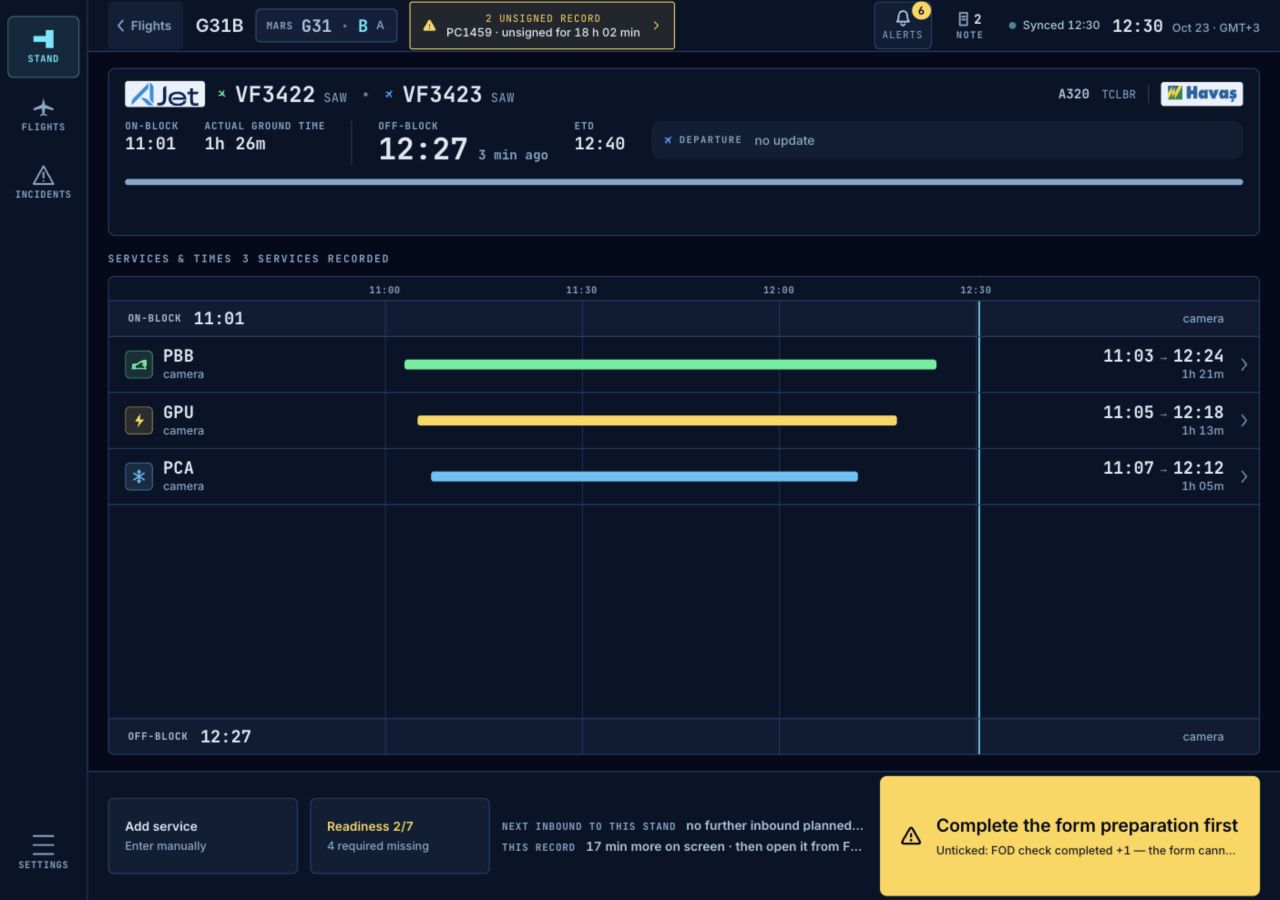
Paper service forms can be lost, left incomplete or illegible, or reach billing too late. Missing service times and disconnected documents make airline reconciliation and billing review harder than they need to be.
Apronex Tablet provides a digital process in which services are linked to the flight, recorded by the operations team, signed off, and turned into a shareable service document.
The agent records the delivered service and its start and end times on the service form for that flight.
Service details, times, quantities and any additional services are completed and checked.
The completed form goes to the authorised operations or airline representative, according to the configured workflow.
A signed service document is produced from the approved services and can be shared with the airline.
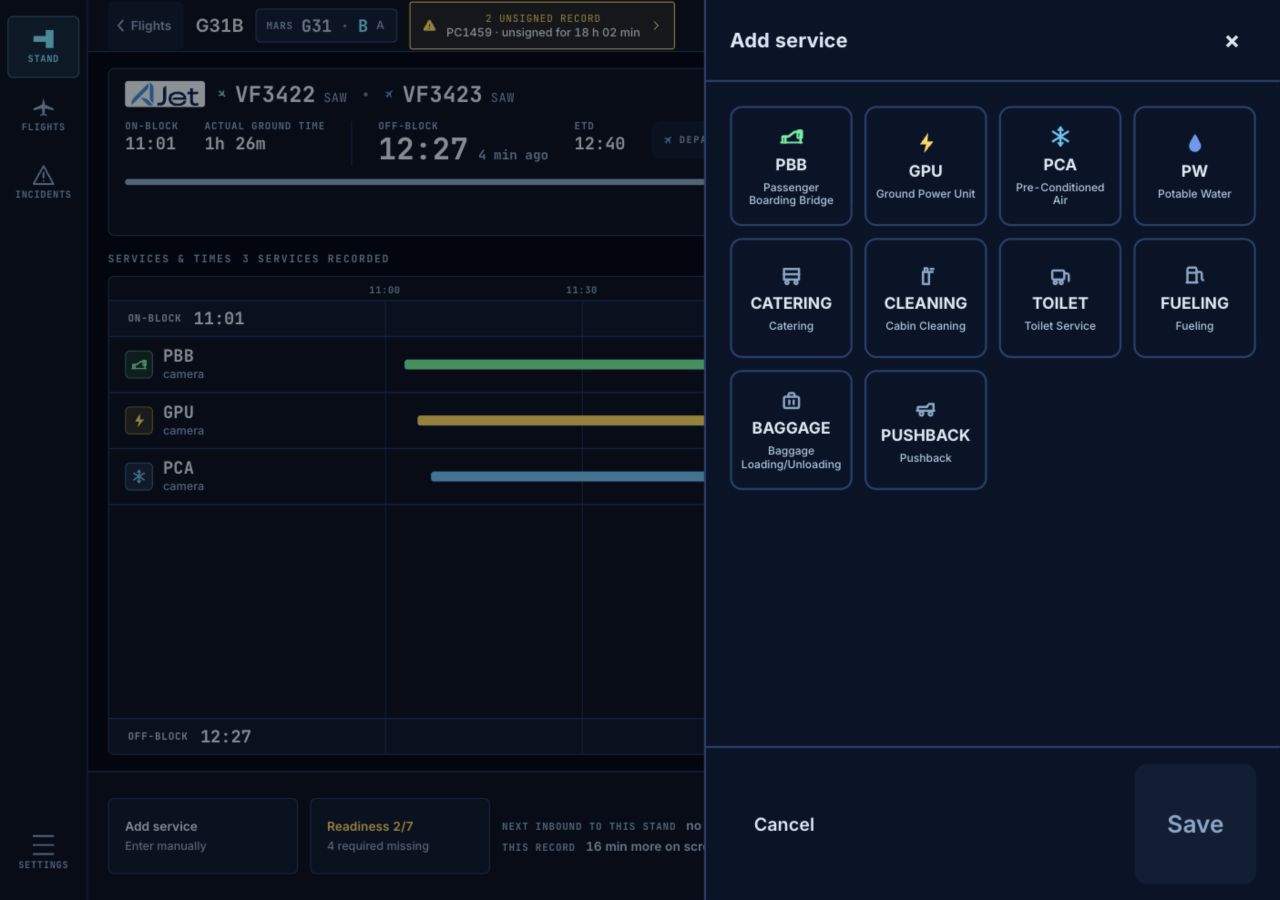
Associate delivered services with the relevant flight, turnaround and parking record.
Agents record delivered services directly on the tablet.
Capture service durations, quantities and other configured operational details.
Add services that were not planned in advance or were delivered later to the same form.
Collect the required approval from the authorised operations or airline representative, according to the configured workflow.
The approved form is locked and becomes a signed PDF service document for sharing, reconciliation and billing review.
Apronex Tablet can be used to create, approve and share digital service forms without any camera integration.
Where the project includes an Apronex integration, camera-detected events can pre-fill the relevant service times and support the verification of recorded services.
Explore ApronexService capture and form completion continue when connectivity drops; pending forms sync once the connection returns.
Create a separate service form for each parking record, including cases where the aircraft is towed away and returns.
Log events such as FOD, aircraft damage and GSE faults with notes, photos and location.
Run turnaround-based messaging, supervisor announcements and shift handover in one application.
Bring the delivered service, its times and the approval details together on one service form.
Access signed service documents without collecting and scanning paper forms.
Prepare the service details and approval records that billing depends on in a more consistent format.
Follow service entries, approvals and the document history.
Apronex Tablet can take flight and stand information from configured airport systems such as AODB and FIDS. Completed service records can be delivered to the relevant systems for document sharing and billing processes.
The integration scope is defined by the airport's existing infrastructure and project requirements.
Apronex Tablet supports service records being managed by authorised users, through role-based access, timestamped activity records and controlled document sharing.
Retention, access and document-sharing rules can be configured according to the customer's operational requirements. KVKK and GDPR requirements are addressed within the project scope, according to the agreed processing and retention model.
Let's look at how Apronex Tablet fits your service form, sign-off and airline reconciliation process.